
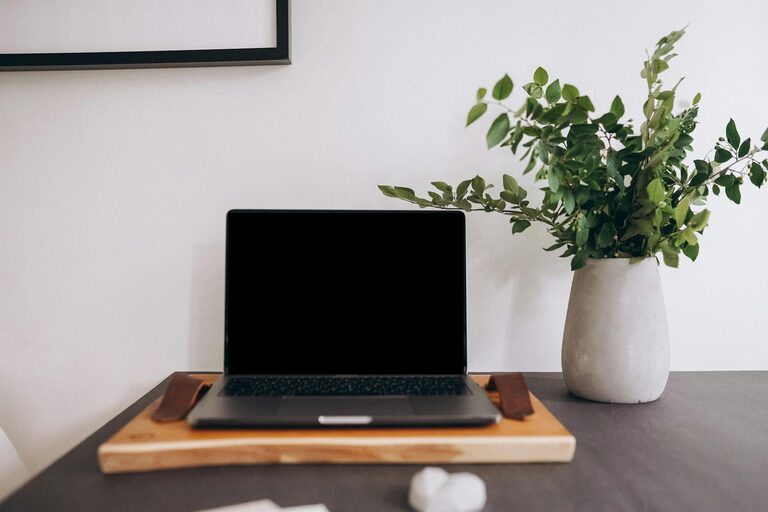
Creating a productive home office environment is essential for anyone working remotely or managing tasks from home. A well-designed space not only improves focus but can also make your workday more enjoyable and efficient. Whether you’re new to working remotely or want to enhance your current setup, these tips can help you create a workspace that supports productivity and well-being.
1. Choose the Right Location
Selecting the right spot in your home for your office is the first step. Ideally, this space should be quiet, away from high-traffic areas, and have good natural light.
Consider these factors:
– Privacy: Select a space where interruptions are minimal.
– Lighting: Natural light is best; pairing it with adjustable lamps helps reduce eye strain.
– Space availability: Make sure there is enough room for your equipment and movement.
2. Invest in Comfortable Furniture
Comfort plays a significant role in maintaining productivity. An ergonomic chair and desk can prevent discomfort and long-term health issues.
Furniture tips:
– Ergonomic chair: Look for adjustable height, lumbar support, and cushioning.
– Desk height: The desk should allow your arms to rest comfortably at a 90-degree angle.
– Additional supports: Use footrests or monitor stands if needed to improve posture.
3. Organize Your Workspace
Clutter can distract and reduce productivity. Keeping your desk and office area tidy helps maintain focus and saves time.
Organizing ideas:
– Use storage options: Shelves, filing cabinets, or desk organizers keep essential items within reach.
– Cable management: Use clips or ties to keep cables neat and prevent tangling.
– Daily clean-up: Spend a few minutes at the end of each day clearing your desk.
4. Optimize Technology and Tools
Having reliable and efficient technology can streamline your work and reduce frustration.
Essential tech tips:
– High-speed internet: Ensure your connection is stable enough for video calls and downloads.
– Good quality peripherals: Invest in a quality keyboard, mouse, and headphones or speakers.
– Backup plan: Use cloud storage and regular backups to protect your work.
5. Control Noise Levels
Noise distractions can break your concentration. Finding ways to control or minimize noise is vital for maintaining focus.
Noise control methods:
– Noise-cancelling headphones: Great for blocking out household sounds.
– White noise machines: Can help mask distracting noises.
– Soundproofing: Use rugs, curtains, or acoustic panels to reduce echo and external sounds.
6. Maintain Proper Lighting
Good lighting directly impacts your eye health and energy levels during work.
Lighting recommendations:
– Balance natural and artificial light: Avoid harsh overhead lights and position your screen to reduce glare.
– Desk lamps: Adjustable lamps allow you to direct light where you need it most.
– Light color: Choose soft white or daylight bulbs to simulate natural sunlight.
7. Incorporate Personal Touches
Adding personal elements to your workspace makes it more inviting and can motivate you during the day.
Ideas for personalization:
– Plants: Small indoor plants improve air quality and add a calming effect.
– Photos or artwork: Display items that inspire or make you happy.
– Colors: Use colors that uplift your mood—blue for calm, green for balance, or yellow for energy.
8. Set Boundaries and Routines
Establishing clear work hours and boundaries helps separate professional and personal life when working from home.
Tips for boundaries:
– Schedule breaks: Short, regular breaks improve focus and prevent burnout.
– Define work hours: Communicate your availability to family or housemates.
– Dress for work: Wearing work-appropriate clothes can mentally prepare you for the day.
9. Keep Air Quality Fresh
Good air circulation and indoor air quality affect overall comfort and alertness.
Air quality tips:
– Ventilate: Open windows regularly to allow fresh air.
– Air purifiers: Use if the air quality is poor or if you have allergies.
– Plants: As mentioned, certain plants can help filter indoor air.
10. Use Productivity Tools
Digital tools can help keep you organized and focused.
Useful tools include:
– Task managers: Apps like Trello, Todoist, or Asana keep you on track.
– Time trackers: Apps like Toggl help monitor how you spend your work hours.
– Focus timers: Techniques like Pomodoro use timers to break work into intervals.
—
Creating a productive home office requires a blend of good design, comfortable furniture, technology, and effective habits. Tailor these tips to fit your unique needs and living situation. The more your workspace supports your work style, the easier it is to stay motivated and productive at home.